for Sage 100 and BusinessWorks users

Sage keeps the books. We get the numbers out.

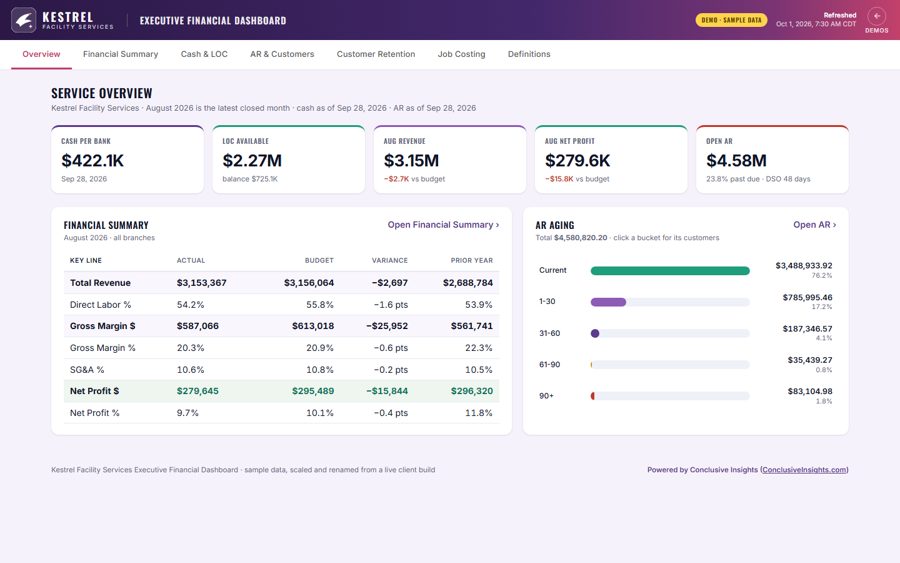
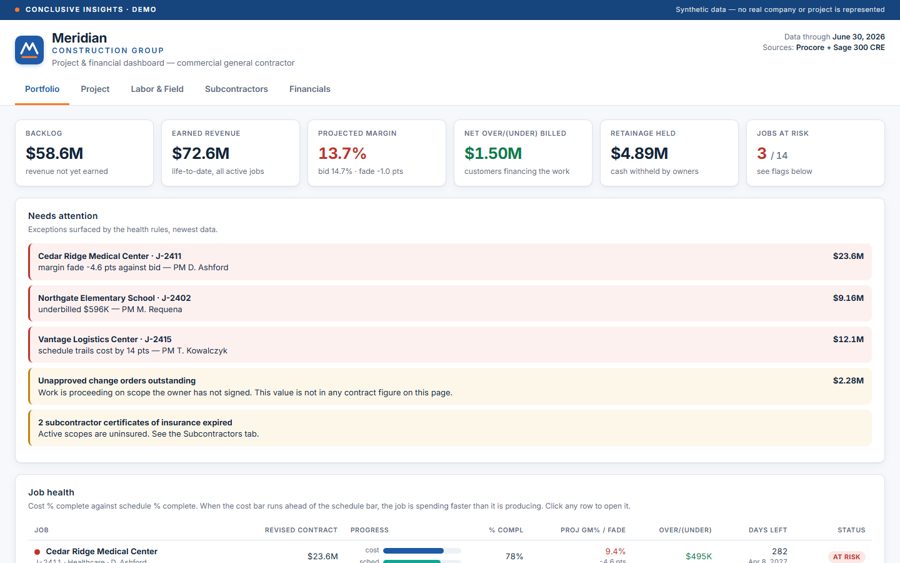
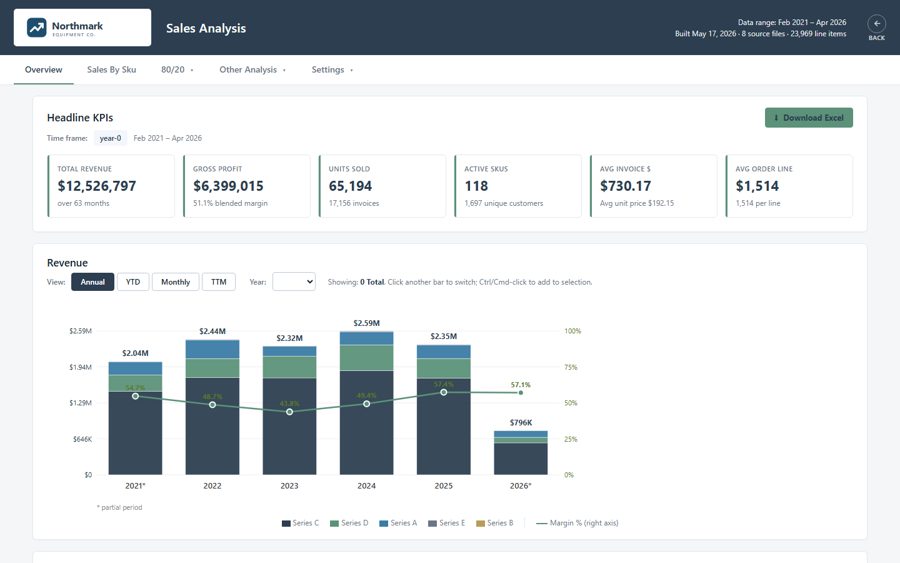
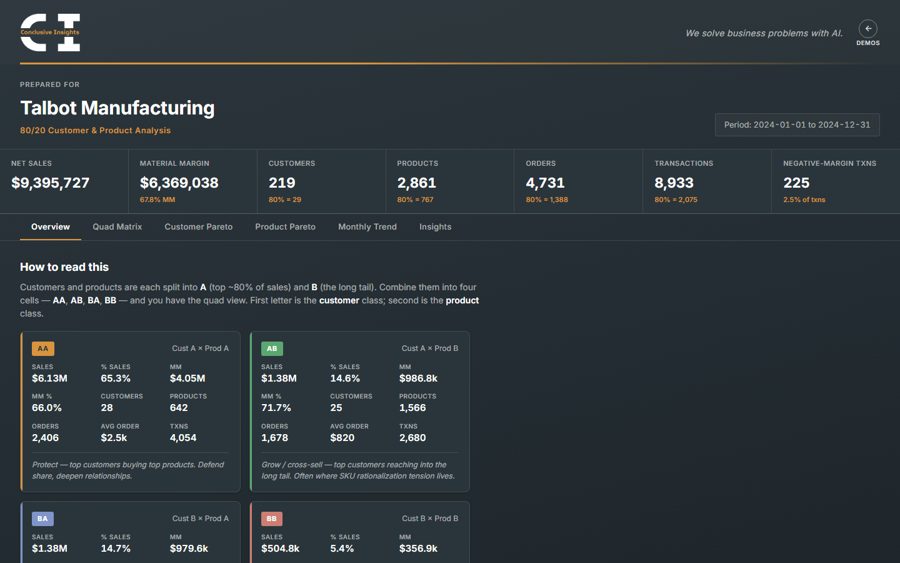
Sage 100 and Sage BusinessWorks run the accounting. Getting the numbers out still means exports, spreadsheets and a trip to the office server. We connect to the Sage you have and build what's missing.

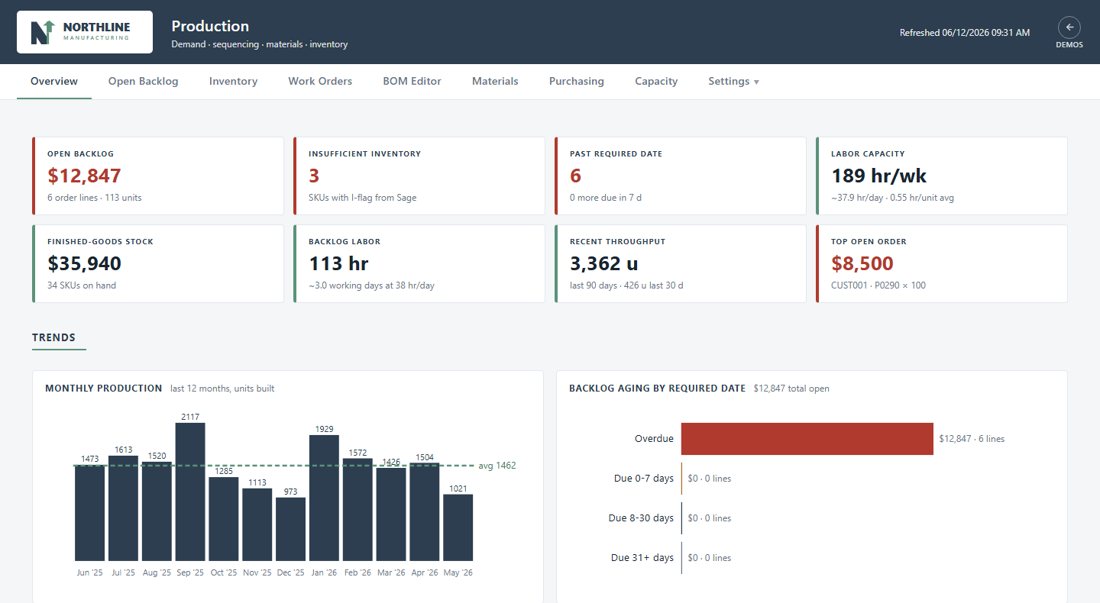
Example production dashboard with backlog, inventory, labor capacity and tabs for work orders, BOM editing and purchasing (sample data)

Where Sage teams lose time

Month-end runs on exports

Sage has hundreds of reports. The work starts after: someone exports them to Excel every month and stitches together the package the owner actually reads.

What we build: Dashboards fed by a nightly connection to Sage: financials, sales and margin, current every morning, with nobody exporting anything.

The numbers live on the office server

Sage 100 and BusinessWorks usually run on a server in your building. Checking numbers from the road often means a remote-desktop session, or asking someone to send a report.

What we build: Dashboards in your own cloud account, signed in with your company logins, that work on any laptop or phone.

Your history stayed in the old system

If you moved to Sage 100 from Sage 50 or another system, your earlier years sit somewhere else, so every trend starts the day you converted.

What we build: One history across both systems, so year-over-year comparisons and long-run trends just work.

Operations run in spreadsheets beside Sage

Production schedules, budgets and job tracking often live in workbooks that someone keeps in step with Sage by hand.

What we build: Those processes built into the dashboard, reading orders, inventory and costs from Sage, so the spreadsheet can retire.

Ryan built a suite of dashboards for our sales, financial, and production operations that has transformed how we manage the business. … More importantly, he took the time to understand our business and build tools that are practical, intuitive, and used every day.
Jenée Mobley Queenaire · Sage BusinessWorks

Queenaire, on Sage BusinessWorks

A nightly read-only connection replaced the reports someone used to export by hand. The financial, sales and production dashboards now refresh on their own.

An equipment dealer on Sage 100

They had just moved from Sage 50 to Sage 100. We connected to Sage 100 with a read-only user and joined years of Sage 50 history, so their trends run back long before the switch.

How it connects

Nothing about how your team uses Sage changes. A small extract reads what we need and sends it to your own cloud account.

  • Sage's read-only connection. We use the ODBC connection that comes with Sage, which can read your data but can't change it.
  • A small extract on your network. It runs on a computer that already reaches Sage, usually overnight, and sends a copy of the data to your cloud account. No new server.
  • Payroll left out. We skip the payroll tables by default, so employee pay data isn't copied.
  • Built in your cloud account. Everything we build lives in a subscription you own, signed in with your company logins. There's no monthly fee from us.
  • Fixed price. After the free mockup, you get one price for the project, agreed before we start.

Questions Sage users ask

Which Sage products do you work with?

All of them. Our projects so far run on Sage 100 and Sage BusinessWorks, including history brought in from Sage 50. Sage 50, Sage 300, Sage X3 and Sage Intacct each have a supported way to read their data, so the same approach applies. We'll confirm the connection for your setup on the first call.

Do we need a new server or software?

No. The extract runs on a computer you already have that can reach Sage, such as your Sage server or a workstation that stays on.

Will this change anything in Sage?

No. The connection is read-only. Your books and the way your team works in Sage stay the same.

What does it cost?

We start with one free mockup dashboard. If you want to go ahead, you get a fixed price for the project. Hosting runs in your own cloud account, usually at a small monthly cost, with no monthly fee from us.

What is your ERP missing?

Tell us what's done in spreadsheets, by email or by hand today, and we'll build you a free mockup of one dashboard showing what the fix could look like. Send an export of your data, or we'll use realistic sample numbers.

info@conclusiveinsights.com

rather talk it through?

Book a 30-minute call